Qwen-Image-2.1 on the 780M: five times faster, with native RGBA output
My Qwen-Image-2512 test left me with an uncomfortable baseline. A 20B-class image model runs on a Radeon 780M, and a single 1024x1024 image takes about twenty minutes.
Qwen-Image-2.1 is a much smaller model with native transparency, and ComfyUI 0.37.2 supports it out of the box. I ran both models through the same five prompts at 512x768 and 1024x1024 on the same mini PC, using a 25-step Euler schedule with fixed seeds.
Qwen-Image-2.1 came out about 9.3 times faster at 512x768 and 5.5 times faster at 1024x1024. It’s also the first model on this box to give me a usable RGBA sprite without a separate background-removal pass.
The hardware and the models
The test PC is the same GMKtec K8 Plus as before, with a Ryzen 7 8845HS, a Radeon 780M (gfx1103), 32GB of shared DDR5, and no discrete GPU. ComfyUI runs through ComfyUI-TheRock, with HIP-backed PyTorch talking to the integrated GPU directly.
Every run used ComfyUI 0.37.2, 25 steps, Euler/simple sampling, and fixed seeds, with the model files in this table.
| Qwen-Image-2512 | Qwen-Image-2.1 | |
|---|---|---|
| Diffusion model | Q4_K_M GGUF, 12.34GB | int8 convrot, 6.76GB |
| Text encoder | Qwen2.5-VL fp8, 8.74GB | Qwen3-VL int8, 8.71GB |
| VAE | 0.24GB | 0.63GB |
| Total on disk | 21.32GB | 16.10GB |
I pulled the 2.1 weights from Comfy-Org’s repackaged model. ComfyUI’s official workflow uses the same model layout and shows the prompt format for transparent images.
The benchmark
The five prompts asked for a warm desk lamp, a chibi knight sprite, a Japanese street at dusk, an apple card with text labels, and a red potion sprite on a transparent background. Each prompt ran at both resolutions on both models, twenty images in all.
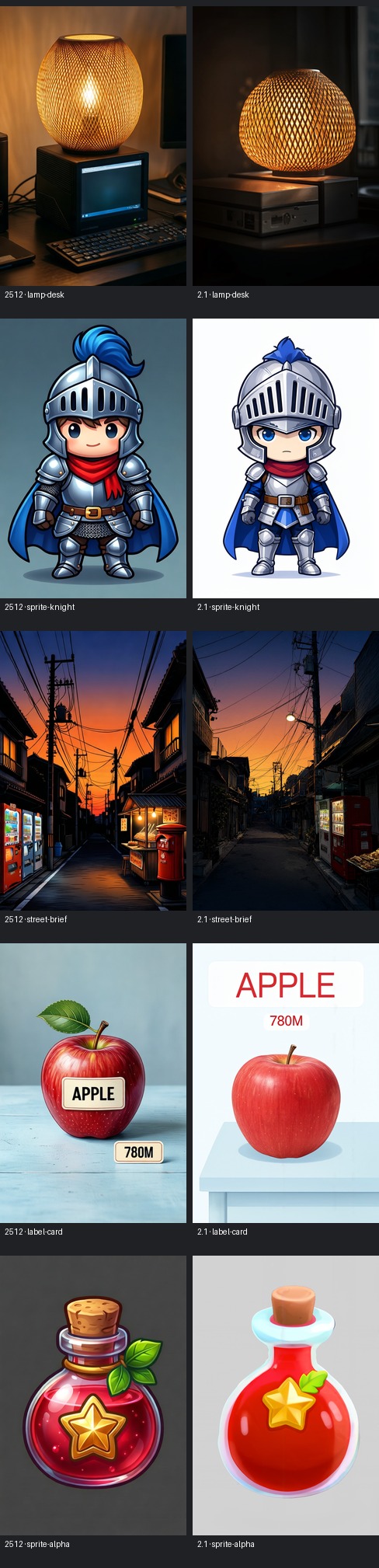
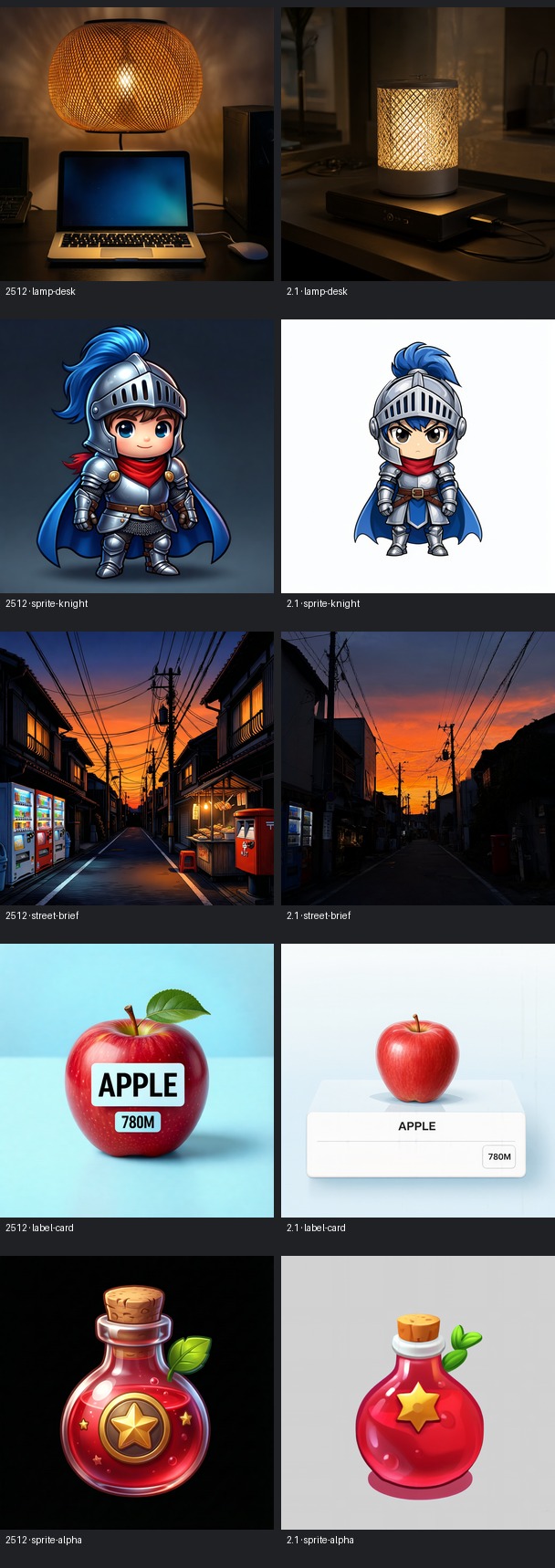
The times below are wall-clock, from queueing the job to the saved PNG. Model loading, text encoding, sampling, and VAE decode all count, so the numbers match what you’d sit through running the workflow yourself.
| Prompt | 2512 512x768 | 2.1 512x768 | 2512 1024² | 2.1 1024² |
|---|---|---|---|---|
| Lamp desk | 16.3 min | 1.6 min | 22.5 min | 4.3 min |
| Chibi knight | 14.0 min | 1.6 min | 22.3 min | 3.9 min |
| Dusk street | 14.0 min | 1.5 min | 22.7 min | 3.9 min |
| Apple labels | 14.0 min | 1.6 min | 22.8 min | 4.5 min |
| RGBA potion | 14.0 min | 1.5 min | 22.9 min | 4.1 min |
| Average | 14.5 min | 1.6 min | 22.6 min | 4.1 min |
Summed over ten images, 2512 took 185.4 minutes and 2.1 took 28.5. At 512x768, five rounds of prompt revisions fit in about eight minutes on 2.1. The same loop on 2512 runs past an hour.
Image quality
2512 followed the stylized prompts more literally. Its knight looked like finished game art, and its street scene packed the vending machines, red postbox, food stall, and tangled power lines I’d asked for into one tight frame.
2.1 leaned photographic. The lamp and street came out convincing, though the composition wandered further from the brief. For concept work I’ll take that trade, since at 512x768 each new attempt shows up about thirteen minutes sooner.
Both models spelled APPLE and 780M correctly at both resolutions. I checked by eye without OCR scoring, so read it as four good images from a small sample.
The alpha test
The potion prompt asked for an RGBA image with a transparent background. 2512 saved an opaque RGB PNG with a dark background at both resolutions. The potion itself looks fine, but turning it into a sprite means running background removal first.
2.1 saved RGBA PNGs at both resolutions, with alpha values spanning the full 0–255 range. The transparency is in the file itself, so there’s no color key to clean up afterward.
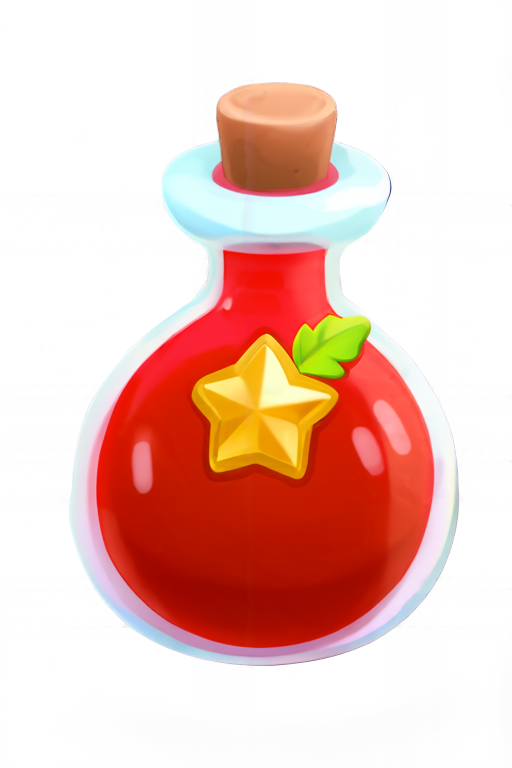
For game assets, that cutout can go straight into a sprite atlas or a UI layer. Background-removal tools often leave halos along the edges and clip semi-transparent pixels, and a native alpha channel sidesteps that.
The 2.1 workflow saves RGBA for every prompt, though. On the apple label card, alpha dipped as low as 241 across 8 to 18 percent of the pixels. It’s worth flattening non-sprite images from 2.1 onto a solid background before you use them.
The failure that mattered
The first 2.1 run didn’t finish. Seventeen jobs in, ComfyUI crashed during VAE decode on one of the remaining 1024² cases. Sampling had already completed, and the process died while turning the latent into pixels.
For the recovery run I swapped the decode node for VAEDecodeTiled, with 512-pixel tiles and 64-pixel overlap. The three missing 2.1 cases then went through. Seven of the 2.1 timings use the normal decoder and three use tiled decode, so treat the 2.1 column as workflow timings with that mix in it.
On an integrated GPU, VAE decode draws on the same shared memory as everything else. The diffusion steps can fit and the decode can still run out. The benchmark runner now uses tiled decode for every 2.1 job.
Which one I’m keeping
2512 still wins when the style and exact composition of the prompt matter most, though each correction costs a big chunk of an evening.
On the 780M, 2.1 is the practical choice. At under two minutes per 512x768 image, rerunning a prompt whose style drifted costs little.
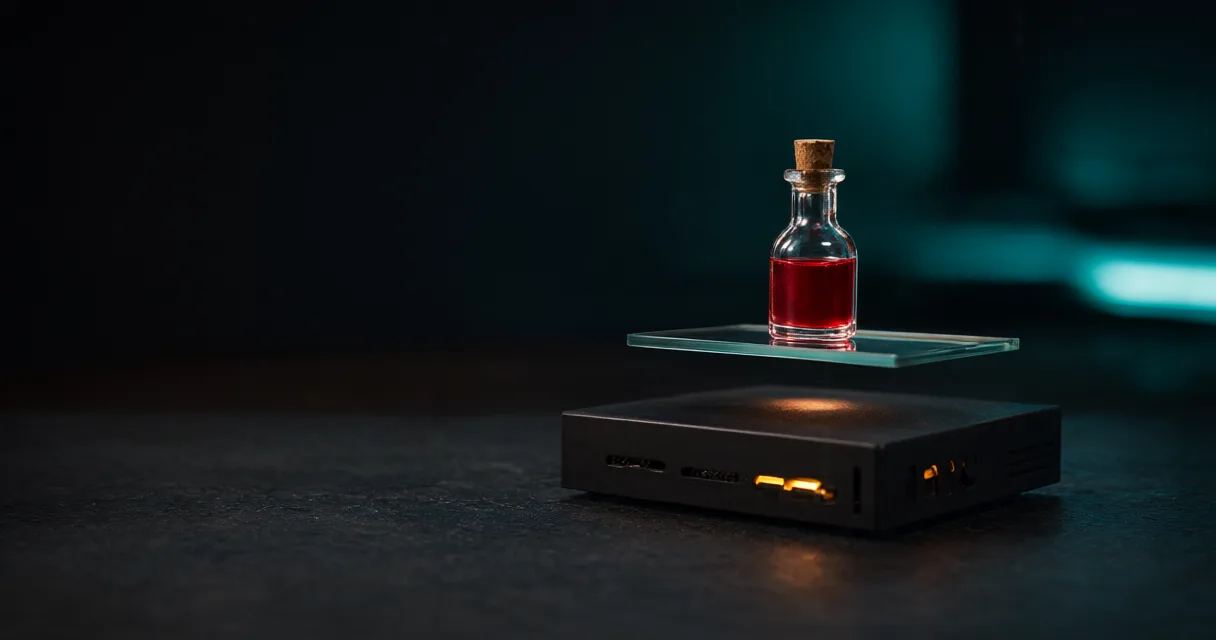
The Open Graph image for this post also came from Qwen-Image-2.1. I generated two backgrounds with different seeds at 1216x640 and 25 steps, and each took 3.3 to 3.4 minutes. The 2512 backgrounds in the Open Graph workflow post averaged 15 minutes 45 seconds at 20 steps. I picked the one with more empty space on the left for the title. 2.1 saved it as RGBA, so it was flattened to RGB before the title was drawn on top.